Liquid Chrome controller overlay skin
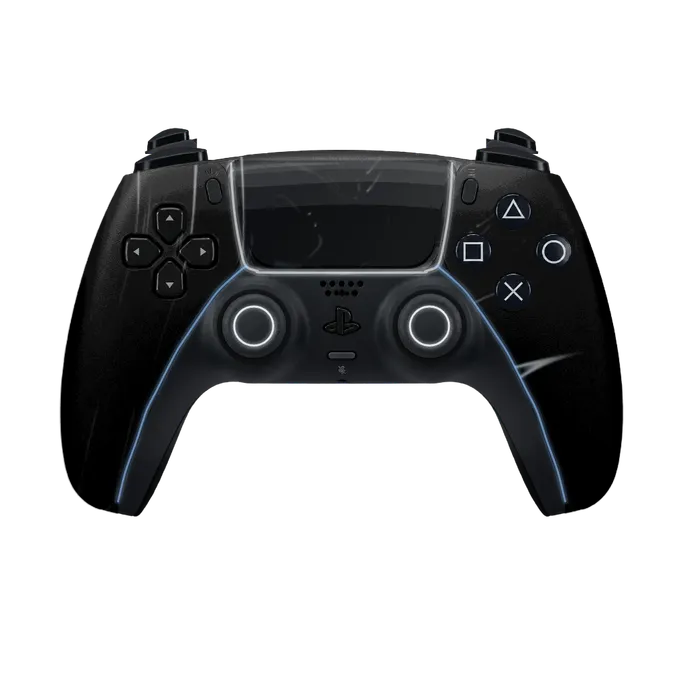
Liquid Chrome is a moving skin: ribbons of silver slide across a black shell, like light running over poured metal.
The shell is black, and the chrome is what moves. Over an eight second loop, bands of silver and pale grey bend and stretch across the pad the way reflections travel over liquid metal. At any moment most of the shell is dark, with a few bright ribbons crossing it, so the look is closer to polished black steel than to a mirror.
On the DualSense the brightest ribbon usually crosses the touchpad, whose edge is lit in white. The lines down the grips are a pale ice blue. The face buttons, D-pad and stick rings carry white symbols on black caps, so the whole pad stays within black, white and a trace of blue.
The loop is fitted to the DualShock 4 and the Xbox controller too. On the PS4 pad a white strip frames the touchpad and thin silver streaks cut across both grips. On the Xbox pad the shell reads a little lighter, a dark gunmetal with a silver swirl around the Xbox button, which is white.
With no colour of its own, Liquid Chrome goes with any channel palette and any game. The black base keeps presses readable, and the silver gives the overlay some life without adding another colour to the scene. It suits racing games, shooters with a clean HUD and layouts that are already colourful.
This is also the Motion skin that changes most when you add your own colours, because there is nothing for them to clash with. In the vault you can set the face buttons and D-pad to your own colour, choose a light colour that is steady, pulsing or off, and add a name of up to 16 characters.
Liquid Chrome works on the PS5, PS4 and Xbox pads and is part of the vault, $14.99 once with nothing to renew. Sign in to use it, save your design and get the link for OBS.
Liquid Chrome on stream