PS4 controller tester
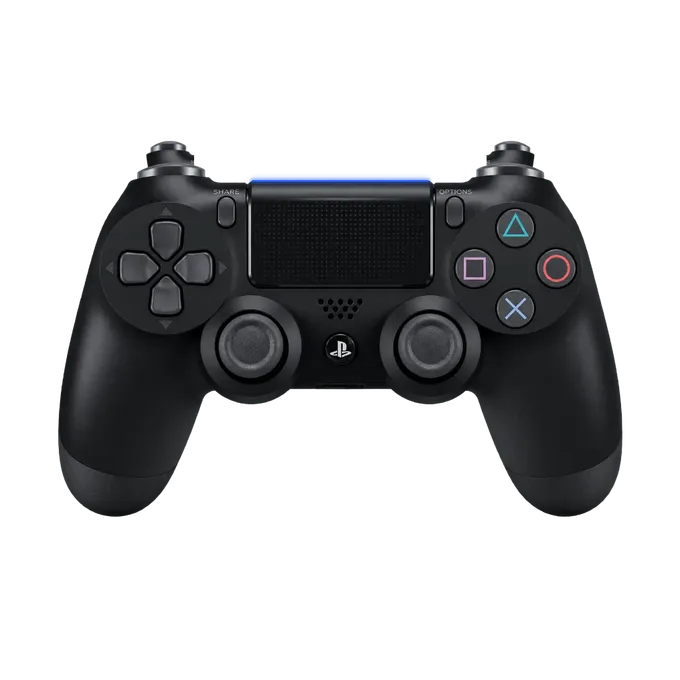
Connect your DualShock 4 to this computer and press any button. The pad lights up as you press, next to what the browser receives from it.
Press any button on your controller
Connect it by USB or Bluetooth first. A browser shows a controller to a page only after a button has been pressed.
How to connect a DualShock 4 to a computer
By cable: a micro-USB cable that carries data, not a charge-only one. By Bluetooth: hold Share and the PS button together until the light bar flashes in quick double blinks, then pick “Wireless Controller” in the computer’s Bluetooth settings.
Then press any button on this page. The panel names the pad “Wireless Controller”, which is the DualShock 4’s own name for itself; both hardware revisions of it report that name.
What this test covers on a DualShock 4
Everything the browser receives from the pad:
- Cross, Circle, Square and Triangle, L1 and R1, the D-pad, Share and Options, and the PS button.
- L2 and R2 as analog values from 0.00 to 1.00.
- L3 and R3, the stick clicks.
- The touchpad click, as one button.
- Both sticks: position, distance from centre at rest, and circularity.
- Vibration: both motors for one second, where the browser allows it.
What a browser cannot test on a DualShock 4
The light bar, the motion sensors, the speaker and the position of your finger on the touchpad are not part of what a web page receives. This page shows the touchpad as a single button.
Checking a DualShock 4 for stick drift
Release both sticks and read “Off centre” under each plot, then flick each stick and let it settle a few times. A stick that will not come back to the same small number is worn. The stick drift test page explains the readings.
If the wrong buttons light up
Over Bluetooth a DualShock 4 often reaches the browser as “Non-standard mapping”: the buttons are all there, but in a different order, so the drawing lights the wrong one. The pad is fine. Over USB it usually arrives in the standard order.
If you show this pad on stream, the PS4 controller overlay corrects the common orders by itself.